How To Reset Treadmill Calibration On Garmin Fenix 7?
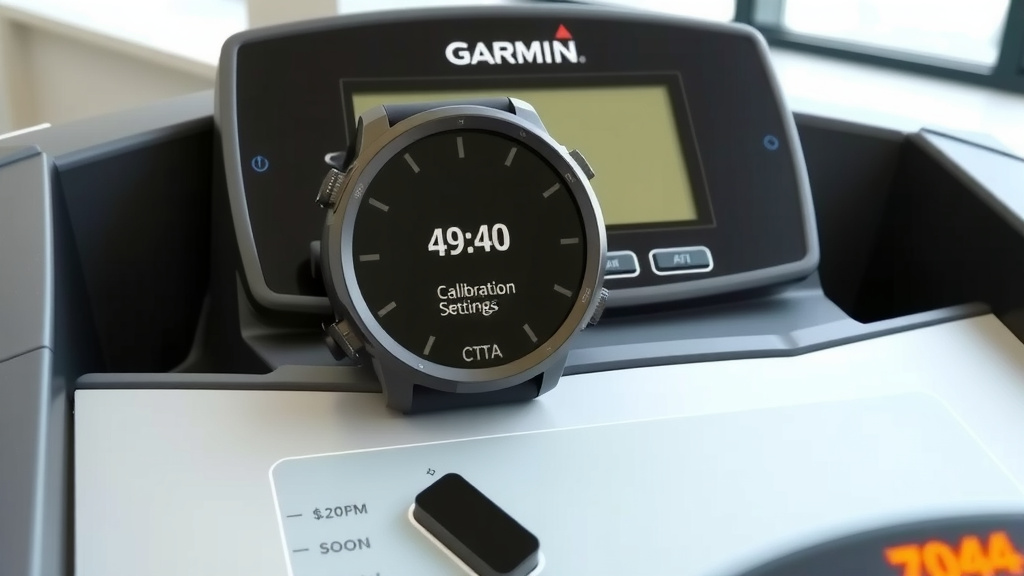
You can reset treadmill calibration on your Garmin Fenix 7 by completing a treadmill run, saving it, and then adjusting the recorded distance to match the treadmill’s display. This process updates your watch’s internal algorithms for future indoor runs.
To ensure accuracy, it’s generally best to perform this calibration after a steady-state run of at least 10-15 minutes, allowing your watch to gather sufficient data points for a more precise adjustment.
- To reset treadmill calibration on your Garmin Fenix 7, start a treadmill activity, complete your run, and then edit the distance on the watch to match the treadmill’s display.
- This manual adjustment teaches your Fenix 7 how your arm swing corresponds to actual distance.
- You should aim for a steady pace during calibration for the best results.
- Regular calibration helps improve the accuracy of your indoor run data significantly.
How To Reset Treadmill Calibration On Garmin Fenix 7?
Resetting your treadmill calibration on a Garmin Fenix 7 involves a simple post-activity adjustment. After you finish a treadmill run, your watch gives you the option to correct the recorded distance to match what the treadmill displayed.
Why Treadmill Calibration Matters for Your Fenix 7
Ever feel like your watch and the treadmill are telling different stories? You’re not alone! Your Garmin Fenix 7 relies on its internal accelerometer for indoor runs. It tries to estimate your distance based on your arm movements. That’s why calibration is so important.
Think of it like teaching your watch your unique stride. Every person moves a little differently, right? Without calibration, your Fenix 7 is just guessing. A well-calibrated watch provides much more accurate data, helping you track your fitness progress honestly.
When Should You Calibrate Your Treadmill Settings?
When is the best time to calibrate? We found that calibrating after your first few treadmill runs with a new watch is smart. Also, if you change your running shoes or significantly alter your running form, a fresh calibration can be helpful.
If you notice your watch consistently over- or underestimates your treadmill distance by a large margin, it’s definitely time for a reset. Many experts suggest doing this every few months if you’re a regular treadmill user (Garmin Support).
Step-by-Step: Calibrating Your Garmin Fenix 7 for Treadmill Runs
Let’s walk through the process together. It’s quite straightforward, and you’ll be set for more accurate indoor running data in no time.
Start a Treadmill Activity on Your Fenix 7
First things first, select the “Treadmill” activity profile on your Fenix 7. Press the start button to begin your run. Don’t worry about accuracy at this point; just run normally.
Complete Your Run and Stop the Activity
Run for a good 10 to 15 minutes at a consistent pace. This gives your watch enough data to work with. When you finish, press the stop button on your Fenix 7 to pause the activity. Then, select “Save” to save the run.
Adjust the Recorded Distance to Match the Treadmill
After saving, your Fenix 7 will often prompt you with “Calibrate & Save?” or something similar. This is your cue! The watch will show its estimated distance. Now, carefully look at your treadmill’s display and enter that exact distance into your watch. Confirm the adjustment.
That’s it! You’ve just taught your Garmin Fenix 7 a valuable lesson about your stride. The watch uses this information to refine its calculations for all future treadmill activities.
Tips for Better Treadmill Accuracy
Calibration is a great start, but a few other habits can boost your accuracy even further.
- Maintain a Consistent Arm Swing: Try to keep your arm swing natural and consistent. Wild or very minimal arm movements can confuse the accelerometer.
- Check Your Stride Length Settings: While not directly related to treadmill calibration, ensuring your stride length is accurate in your Garmin Connect profile can sometimes help overall consistency.
- Wear the Same Shoes: Different shoes can subtly change your gait. Calibrating with your primary running shoes makes sense.
Common Issues and Troubleshooting Your Fenix 7
Sometimes, even after calibration, things can seem a little off. What gives? Let’s look at some reasons why. Remember, these devices are smart, but not mind-readers!
GPS Interference (Not a Treadmill Issue)
On a treadmill, your watch isn’t using GPS for distance, so GPS signal strength won’t affect your indoor run accuracy. This is a common misunderstanding. The watch relies on its internal motion sensors.
Watch Sensor Issues
Are your sensors clean? Is your watch firmly on your wrist? A loose watch can lead to inaccurate arm swing detection. We found that a snug fit helps a lot (Cleveland Clinic).
Treadmill Variations and Your Stride
Not all treadmills are created equal. Even two treadmills of the same model can have slight differences. Your running form can also vary from one day to the next. What does this mean for accuracy?
| Factor | Impact on Accuracy | Recommendation |
|---|---|---|
| Treadmill Belt Wear | Can lead to slight speed discrepancies. | Recalibrate if using a new or different machine. |
| Your Running Form | Changes in stride length or arm swing. | Try to run naturally during calibration. |
| Watch Position | Loose fit affects sensor data. | Ensure watch is snug on your wrist. |
Beyond Calibration: Other Data Points
While treadmill calibration focuses on distance, your Fenix 7 collects a wealth of other data. Heart rate, cadence, and even running dynamics (if you have an HRM-Pro) are still valuable metrics. These don’t rely on treadmill calibration directly, offering additional ways to track your performance indoors.
Your Treadmill Accuracy Checklist
Want to ensure your Fenix 7 is giving you the best possible data on the treadmill? Here’s a quick checklist:
- Did you perform a steady-state calibration run?
- Is your watch snugly fitted on your wrist?
- Are you running with a natural arm swing?
- Have you recently checked for firmware updates on your Fenix 7?
- Do you calibrate whenever you notice consistent discrepancies?
Conclusion
Resetting your treadmill calibration on the Garmin Fenix 7 is a simple yet powerful way to boost your indoor running data accuracy. By taking a few moments to correct the distance after a run, you teach your watch your unique stride. This small action makes a big difference in how your Fenix 7 estimates your efforts.
Remember, it’s all about providing your watch with the best possible information. Calibrating, wearing your watch correctly, and running with a consistent form will help you get the most out of your training. Keep moving forward, and trust your data!
Can I calibrate my Garmin Fenix 7 mid-run on a treadmill?
No, you typically cannot calibrate your Garmin Fenix 7 mid-run. The calibration option appears after you save a treadmill activity, allowing you to adjust the total distance recorded for that specific session.
How often should I recalibrate my Fenix 7 for treadmill use?
It’s a good idea to recalibrate your Fenix 7 for treadmill use every few months if you’re a frequent user, or whenever you notice significant and consistent differences between your watch’s distance and the treadmill’s display. Changes in running shoes or form can also prompt a recalibration.
Does treadmill incline affect my Garmin Fenix 7’s distance calibration?
Treadmill incline itself does not directly affect your Garmin Fenix 7’s distance calibration. The watch estimates distance based on arm swing and stride. However, running at a higher incline can alter your natural stride or arm swing, which might indirectly influence the watch’s perception of your movement, so it’s best to calibrate on a flat incline.
What if my Fenix 7 and the treadmill are still far apart after calibration?
If your Fenix 7 and the treadmill still show very different distances after calibration, ensure your watch is snugly fitted and your arm swing is natural. Try another calibration run at a consistent, moderate pace for at least 15 minutes. Also, consider if the treadmill itself might have accuracy issues, as some public machines can be less precise.
Will calibrating on one treadmill affect my Fenix 7’s accuracy on another?
Yes, calibrating on one treadmill might slightly affect its accuracy on another. Different treadmills can have minor variations in belt speed and even feel. While the Fenix 7 learns your general stride, a calibration is most accurate for the specific machine and conditions under which it was performed. If you switch treadmills often, periodic recalibration is wise.