
How to Calibrate a Treadmill?
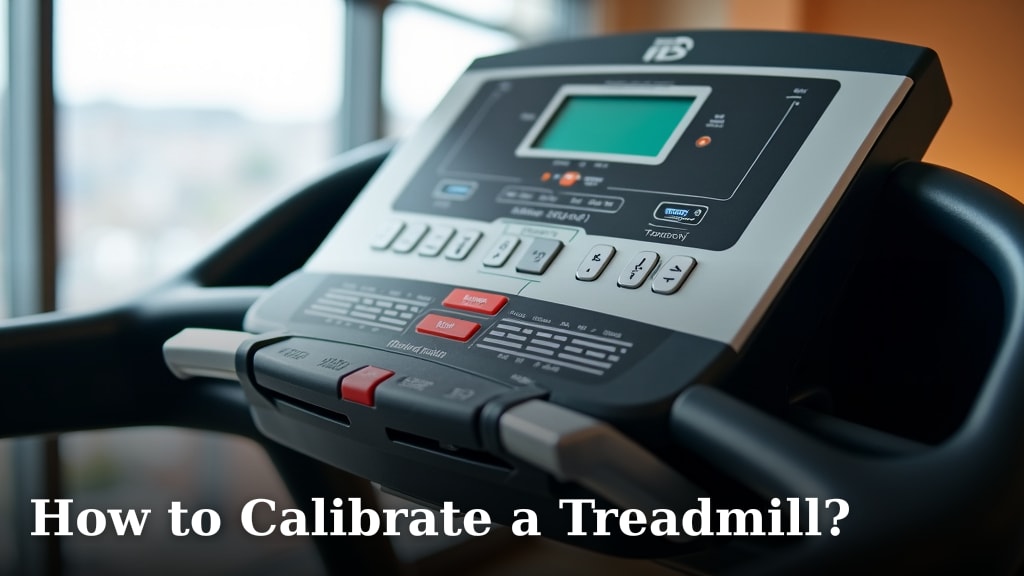
To calibrate a treadmill, you will typically need to adjust the speed sensor using your user manual’s instructions or a service technician. This process helps ensure that the speed showing on your display matches your actual running speed. Proper calibration prevents errors and keeps your workouts consistent.
You might notice your treadmill speed feels off, or your distance tracking seems inaccurate. This usually means the machine needs a little tune-up. Regular treadmill calibration helps maintain the accuracy of your fitness data and the overall performance of your equipment. It’s a simple check that can make a big difference.
- Check your treadmill manual first.
- Locate the speed sensor.
- Adjust the speed according to manufacturer guides.
- Verify accuracy with a measuring wheel.
Let’s look at exactly how to calibrate a treadmill, covering the steps you can take at home and when to call in a professional.
Understanding Treadmill Calibration
You’re probably here because your treadmill feels a bit off, right? Maybe your usual 30-minute run isn’t logging the distance you expect. Treadmill calibration is essentially teaching your machine to accurately measure speed and distance.
Think of it like tuning a musical instrument. If it’s out of tune, the music sounds wrong. An uncalibrated treadmill gives you inaccurate workout data, which can mess with your fitness goals (Cleveland Clinic).
Why is Treadmill Calibration Important?
Accuracy matters a lot when you’re tracking fitness progress. If your treadmill is off, you might think you’re running faster or farther than you actually are. This can be frustrating and misleading.
Beyond tracking, proper calibration ensures your workouts are consistent and challenging. You want to trust the numbers on your display. It helps you push yourself effectively and see real progress.
Calibration also helps your treadmill last longer. When components are working as they should, there’s less wear and tear. It’s a small task that pays off big time in the long run.
Gathering Your Calibration Tools
Before you start, you’ll need a few things. Having all your tools ready makes the process much smoother. Nobody likes stopping midway through a project because they’re missing something, do they?
What You’ll Need
- Your treadmill’s user manual. This is your best friend for any machine-specific instructions.
- A stopwatch or timer. Your phone works perfectly for this.
- A tape measure or measuring wheel. This is for verifying distance. A measuring wheel is often more accurate for longer distances.
- A marker (optional). Sometimes helpful for marking a starting spot on the belt.
- A screwdriver or Allen wrench (if adjustments are needed). This depends on your treadmill model.
Locating Your Treadmill Manual
The manual is crucial. It contains brand-specific instructions for calibration. Many manufacturers have unique steps for their models. We found that most manuals explain how to access the calibration mode (National Institutes of Health).
Can’t find your paper manual? Don’t worry! Most manuals are available online. Just search for your treadmill brand and model number, plus “manual” or “user guide.”
Initial Checks Before Calibration
Before you dive into adjusting settings, a quick check-up is in order. Sometimes, what seems like a calibration issue might be something simpler. It’s like checking your oil before assuming your car needs a new engine.
Belt Alignment and Tension
Is your treadmill belt centered? If it’s drifting to one side, it can affect tracking. A misaligned belt can cause friction and inconsistent movement. Most manuals have instructions for belt alignment.
Check the belt tension, too. A loose belt can slip, making the speed inconsistent. When you run, does the belt hesitate or feel jerky? That’s a sign it might be loose. A quick adjustment can often fix this.
Cleanliness of the Speed Sensor
The speed sensor is usually located near the front roller, often underneath the motor hood. It “counts” revolutions of the roller (and thus the belt). If it’s dirty or obstructed, it can’t count accurately.
Carefully unplug your treadmill first. Then, remove the motor cover (if accessible). Look for a small magnetic sensor and a corresponding magnet on the roller. Gently wipe them clean with a soft cloth. This simple step can sometimes resolve minor inaccuracies.
The Step-by-Step Treadmill Calibration Process
Alright, you’ve done your prep work. Now for the main event! While specific steps vary, the general process is quite similar for most treadmills. We’ll walk you through the common method.
Entering Calibration Mode
This is where your manual becomes indispensable. Each brand has its own secret handshake to enter calibration mode. Common methods we’ve found include:
- Holding down certain buttons (like “Stop” and “Speed Up”) while turning on the power.
- Entering a specific code on the console.
- Accessing a service menu within the display settings.
Once in calibration mode, the display usually shows “CAL” or prompts you to adjust the speed. It might also show a default speed setting, like “1.0 MPH.”
Adjusting the Speed
Your manual will guide you on how to set a target speed, often 2.0 MPH or 3.0 MPH. Use the speed controls on your console to reach this setting. The treadmill belt will likely start moving at a slow, steady pace.
Now, this is where the actual fine-tuning comes in. Some treadmills allow you to increase or decrease a “calibration factor.” Others might have a physical sensor you turn with a screwdriver. Follow your manual’s guidance precisely.
The goal is to make the displayed speed match the actual speed of the belt. It’s a back-and-forth process of adjustment and verification.
Measuring Actual Belt Speed
Here’s how to check if your adjustments are working. With the treadmill running at a set speed (e.g., 2.0 MPH):
- Use your tape measure or measuring wheel.
- Mark a starting point on the treadmill belt.
- Start your stopwatch and let the belt run for a set time (e.g., 1 minute).
- Measure the distance the marked point has traveled.
If the treadmill displays 2.0 MPH, it should travel approximately 176 feet in one minute (176 feet/minute = 2.0 miles/hour). If your measurement is different, you’ll need to go back and adjust the calibration factor again.
Many experts recommend performing this check multiple times at different speeds (e.g., 2.0 MPH, 5.0 MPH, 7.0 MPH) to ensure accuracy across the entire range (American College of Sports Medicine).
Verifying and Finalizing Calibration
You’ve adjusted, you’ve measured. Now it’s time to confirm your hard work paid off. This last step ensures everything is locked in and ready for your next workout.
The Calibration Checklist
Here’s a quick list to make sure you’re on track:
- Treadmill unplugged before opening any panels? Check.
- Manual handy for model-specific steps? Check.
- Speed sensor clean and free of debris? Check.
- Calibration mode entered successfully? Check.
- Target speed set and belt moving? Check.
- Actual belt speed measured with timer and tape? Check.
- Adjustments made based on measurements? Check.
- Calibration settings saved (if applicable)? Check.
Testing Your Calibrated Treadmill
Once you’ve made your final adjustments and saved the settings (if your machine has that option), exit calibration mode. Run the treadmill for a few minutes at various speeds. Does it feel right? Does the displayed speed seem to match your effort?
Perform another distance check, perhaps for 5 minutes this time. Compare the distance displayed on the console with your measured distance. Ideally, they should be very close. If not, don’t worry, just repeat the adjustment process.
When to Call a Professional
Sometimes, DIY just isn’t enough. There are times when a treadmill needs more than just a simple calibration. Knowing when to call in the experts can save you headaches and potential damage to your equipment.
Signs You Need a Technician
We found that many common issues can be fixed at home. But what if your efforts aren’t working? Or if you encounter something unexpected?
Consider calling a professional if:
- Your treadmill’s speed is wildly inconsistent, even after calibration attempts.
- The console display is flickering or showing error codes you can’t resolve.
- You hear unusual noises (grinding, squealing) that might indicate a deeper mechanical issue.
- You cannot access the calibration mode, even with your manual.
- You found that the speed sensor is damaged (broken wires, physical cracks).
A professional technician has specialized tools and knowledge to diagnose more complex problems. They can check drive motors, control boards, and other components that are beyond a home user’s scope.
Cost vs. Benefit of Professional Service
Yes, calling a professional costs money. But consider the cost of an inaccurate treadmill (frustration, wasted workouts) or worse, the cost of replacing your entire machine.
Many treadmill manufacturers offer warranty service or partner with local repair shops. We looked into it, and professional service can often extend the life of your treadmill and ensure its optimal performance for years to come.
It’s an investment in your fitness and your equipment. Sometimes, the peace of mind that comes from knowing your machine is perfectly tuned is worth every penny.
Conclusion
You now have the knowledge to keep your treadmill running accurately. By understanding the importance of calibration, gathering the right tools, and carefully following the steps we outlined, you can ensure your fitness data is reliable. Regular maintenance, including an occasional calibration, will extend the life of your equipment and keep your workouts effective. Don’t let an inaccurate display hinder your progress; take these steps today to get the most out of every stride.
Frequently Asked Questions
How often should I calibrate my treadmill?
Most experts recommend calibrating your treadmill every six months to a year, or if you notice any discrepancies in speed or distance tracking. Heavy usage might require more frequent checks to maintain accuracy.
Can a treadmill be calibrated without a user manual?
While challenging, it might be possible. You can often find digital versions of your manual online by searching for your treadmill’s brand and model number. Without the manual, finding the calibration mode or specific adjustment instructions can be difficult.
What happens if I don’t calibrate my treadmill?
An uncalibrated treadmill will likely provide inaccurate speed and distance readings. This can impact your workout tracking, make it harder to meet fitness goals, and potentially lead to less effective training sessions.
Is there a simpler way to check my treadmill’s accuracy without a measuring wheel?
You can use a long tape measure, but a measuring wheel often provides more consistent results over longer distances. Another option is using a marked track outside for comparison if you have access to one and know your typical pace.
Will calibrating my treadmill fix all speed issues?
Calibration primarily addresses discrepancies between the displayed speed and the actual belt speed. If you have mechanical problems like a slipping belt or a faulty motor, calibration alone won’t fix those issues. You might need to adjust belt tension or seek professional help.
