How To Reset My Treadmill?
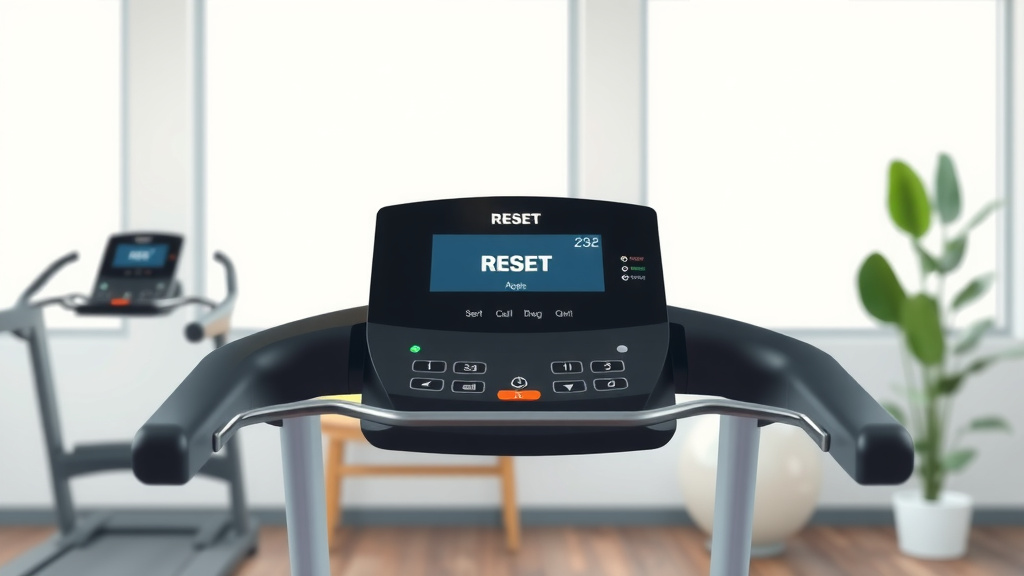
To reset your treadmill, usually you just need to unplug it from the wall outlet for 10-15 minutes, then plug it back in. This simple power cycle often resolves many minor electronic glitches.
For a more advanced reset, some models have a dedicated reset button or a combination of console buttons you can press and hold to restore factory settings.
Here’s a quick rundown of what you need to know about resetting your treadmill:
- A soft reset (power cycle) fixes most minor issues.
- A hard reset restores factory settings, often needing a specific button combo.
- Always unplug your treadmill for safety before any physical reset.
- Consult your owner’s manual for model-specific reset instructions.
- Resets can solve display errors, unresponsive buttons, or motor glitches.
How To Reset My Treadmill?
Resetting your treadmill is often the first step to fix many common problems. Think of it like restarting your computer when it acts up; it clears temporary errors and gets things working again.
Why Would You Need to Reset Your Treadmill?
You might wonder why a perfectly good piece of exercise equipment suddenly needs a reset. Treadmills are complex machines with lots of electronics. Just like any gadget, they can get a little confused sometimes.
Maybe your display isn’t showing the right speed, or the incline isn’t moving. Perhaps a button feels unresponsive. These little hiccups are often just software glitches that a quick reset can clear right up.
Common Issues Solved by a Reset
Many treadmill users experience these frustrations. We found that a reset often solves problems like frozen consoles, inaccurate readings, or the motor not responding correctly. It’s a bit like giving your treadmill a fresh start.
Some users even report that strange noises or intermittent power issues can be fixed. Always remember, a reset is a diagnostic step, not a magical cure for mechanical failures.
Two Main Types of Treadmill Resets
When it comes to resetting your treadmill, you generally have two main approaches. It’s good to know the difference, so you can pick the right one for your situation. Let’s look at the soft and hard resets.
The Soft Reset: A Quick Fix
The soft reset is your go-to for most minor issues. It’s simple, safe, and doesn’t usually erase any personal settings. We often compare it to simply turning your phone off and on again.
It’s designed to clear temporary memory errors or communication glitches between the console and the motor. Many experts say this should always be your first troubleshooting step (Mayo Clinic).
How to Perform a Soft Reset
Performing a soft reset is super easy. You don’t need any tools, just a few minutes of your time. Here’s your quick checklist:
- Locate the power switch: Most treadmills have an on/off switch near the power cord.
- Turn off the power: Flip this switch to the “off” position.
- Unplug the treadmill: Carefully pull the power cord directly from the wall outlet.
- Wait for 10-15 minutes: This allows the system to completely discharge any residual power.
- Plug it back in: Firmly insert the cord back into the wall outlet.
- Turn on the power: Flip the treadmill’s power switch back to “on.”
After these steps, try using your treadmill again. Does it feel better? We often find this simple action solves many headaches.
The Hard Reset: When More Power is Needed
A hard reset is a more extensive process. This typically restores your treadmill to its original factory settings. It’s like wiping the slate clean, which can be great for stubborn problems but might erase your custom programs or user profiles.
Always check your user manual before attempting a hard reset. Each brand and model can have a unique method, and you don’t want to accidentally damage anything.
When to Use a Hard Reset
When should you consider a hard reset? Many experts suggest this for more persistent problems. If a soft reset didn’t work, or if your treadmill consistently displays significant errors, a hard reset might be the answer.
It’s also useful if you’re selling your treadmill and want to clear all your personal data. Research often connects persistent errors with a need for a deeper system refresh (NIH).
Steps for a Hard Reset
The steps for a hard reset vary greatly by brand. However, here’s a general guide. Remember to consult your specific user manual for the exact sequence. Always start by powering off and unplugging the unit.
- Power off the treadmill using the main switch.
- Unplug the power cord from the wall.
- Wait at least 30 minutes to ensure full power discharge.
- Locate the “reset” button or specific button combination on your console. This might involve holding down “stop” and “speed -” together, for example.
- While holding the buttons, plug the treadmill back in and turn on the main power.
- Keep holding the buttons until you see a message like “factory reset” or “initialization complete” on the display.
- Release the buttons and power cycle the treadmill one more time.
Understanding Your Treadmill’s Console
Your treadmill’s console is its brain. Knowing how to interact with it, especially for resets, is crucial. Some consoles are simple, while others are full-fledged touchscreens with apps.
Different brands have different interfaces and hidden menus. This is why your owner’s manual is truly your best friend for precise instructions. Don’t underestimate its power!
Specific Brand Resets
While the general principles are similar, specific treadmill brands often have their unique quirks. We’ve found that knowing these can save you a lot of time and frustration. Let’s look at a few popular ones.
Peloton Tread Reset
For a Peloton Tread, a common soft reset involves simply unplugging the machine for 30 seconds. If your touchscreen is frozen, you might need to locate the power button on the back of the screen to force a restart. Always try the simple power cycle first.
NordicTrack Reset
NordicTrack treadmills often require a soft reset by unplugging the unit. For a hard reset, many models involve holding down the “stop” button while inserting the safety key. This can trigger a recalibration or factory reset, depending on your model.
ProForm Reset
ProForm treadmills, being part of the iFit family like NordicTrack, frequently share similar reset procedures. A power cycle is standard. For factory resets, you might look for button combinations involving “stop” and speed/incline buttons, often performed with the safety key inserted.
Sole Treadmill Reset
Sole treadmills are known for their sturdy build. A soft reset is the standard unplug-and-wait method. If a deeper reset is needed, checking the manual for console button sequences, often including the “start” and “stop” buttons, is recommended. Some models may have a small pinhole reset button.
What Happens After a Reset?
After you reset your treadmill, don’t be surprised if it acts a little differently. If you did a hard reset, your user profiles, custom workouts, and personal settings might be gone. It’s a fresh slate.
You might need to re-enter your preferences or even calibrate the incline and speed. Think of it as setting up a new device, even though it’s the one you already own.
Recalibrating Your Treadmill
Some treadmills automatically recalibrate after a hard reset. Others might prompt you to do it manually. This process ensures the incline and speed motors are working within their correct ranges. It’s important for safety and accurate workout tracking.
Troubleshooting After a Reset
What if you’ve reset your treadmill, and the problem still persists? Don’t fret! Sometimes issues are more complex than a simple electronic glitch. It could be a mechanical component, like a worn belt or a faulty motor sensor.
We often find that knowing when to call for professional help saves time and prevents further damage. Your safety is always the priority when troubleshooting.
When to Call for Help
If your treadmill still isn’t working right after a reset, or if you hear strange noises, smell burning, or see sparks, it’s time to call a qualified technician. Attempting to fix complex mechanical or electrical issues yourself can be dangerous.
Many treadmill manufacturers have customer support lines ready to assist you. Don’t hesitate to reach out for expert guidance.
Maintenance Tips
To avoid needing frequent resets, good maintenance is key. Regular care can prevent many common treadmill issues. We’ve compiled some vital tips for you in this table.
| Maintenance Task | Frequency | Why It Helps |
|---|---|---|
| Wipe down console & frame | After each use | Prevents sweat corrosion & debris buildup. |
| Vacuum under treadmill | Monthly | Keeps motor clear of dust, prevents overheating. |
| Lubricate running belt | Every 3-6 months (check manual) | Reduces friction, extends belt & motor life. |
| Check belt tension & alignment | Every 3 months | Ensures smooth operation, prevents wear. |
| Inspect power cord | Periodically | Checks for damage, ensures safe electrical flow. |
Conclusion
Resetting your treadmill is a powerful first step in troubleshooting many common electronic glitches. Whether it’s a simple soft reset by unplugging it, or a more involved hard reset through console commands, you now have the tools and knowledge to tackle these issues.
Remember, always prioritize safety, consult your owner’s manual for model-specific instructions, and don’t hesitate to seek professional help if problems persist. Happy running, and may your treadmill run smoothly!
What is a treadmill safety key for?
A treadmill safety key is a crucial safety feature that attaches to your clothing and to the treadmill console. If you slip or fall, the key detaches, immediately stopping the belt to prevent further injury. It also acts as a basic lockout mechanism, often needing to be in place for the treadmill to operate.
How do I know if my treadmill motor is bad?
Signs of a bad treadmill motor often include grinding noises, a burning smell, inconsistent belt speed despite setting adjustments, or the belt stopping abruptly during a workout. If your treadmill struggles to start or maintain speed even after a reset, the motor might be failing.
Can I recalibrate my treadmill speed myself?
Yes, many treadmills allow for user recalibration of speed and incline through specific console menus. This often involves running the belt at a set speed and adjusting it until it matches an external measurement. Always refer to your treadmill’s owner’s manual for exact instructions on how to do this safely and accurately.
Why does my treadmill keep stopping mid-workout?
A treadmill that stops mid-workout could be due to several reasons, including an overloaded motor (too much weight or continuous high-intensity use), a loose safety key, an electrical issue with the outlet, a faulty speed sensor, or the motor overheating. Start with a reset and checking the safety key before investigating deeper issues.
How often should I lubricate my treadmill belt?
The frequency of treadmill belt lubrication depends on usage and the manufacturer’s recommendations. Generally, for home use, lubricating every 3 to 6 months is a good guideline. Always check your specific treadmill’s manual for the correct type of lubricant and detailed instructions, as improper lubrication can cause damage.