How to Connect a Treadmill to an App?
On this page (5 sections)
Yes, you can absolutely connect your treadmill to an app. This is a popular way to track your workouts and make them more engaging. You’ll often use Bluetooth to get your treadmill data to your device. Many modern treadmills are built with this feature in mind, making it easy to get started.
Connecting your treadmill opens up a world of fitness possibilities. You can monitor your progress, join virtual races, or even use guided training programs. We found that this integration can really help keep you motivated. It turns a solo workout into a more interactive experience, which is fantastic for consistency.
- Look for a Bluetooth symbol on your treadmill.
- Download a compatible fitness app.
- Enable Bluetooth on your phone or tablet.
- Follow the app’s instructions to pair devices.
- Start tracking your runs!
Let’s walk through exactly how to get your treadmill linked up with your favorite fitness app so you can start enjoying all the benefits.
“`htmlGetting Your Treadmill Connected to an App
You’re probably wondering how to actually link your treadmill to an app. It’s usually simpler than you might think! Most modern treadmills are built with this connectivity in mind. They use common wireless technologies. Let’s break down the steps so you can start enjoying your smarter workouts.
Understanding the Connection Technology
The primary way treadmills connect to apps is through Bluetooth. Think of Bluetooth like a short-range radio signal. Your treadmill broadcasts its data, and your phone or tablet picks it up. This is the same technology used for wireless headphones and speakers. Some high-end models might also use Wi-Fi, but Bluetooth is far more common for direct device-to-treadmill connections.
Why Bluetooth is King
Bluetooth is energy-efficient and easy to use. You don’t need a home Wi-Fi network for the treadmill itself to connect to an app. Your phone or tablet acts as the bridge. It receives the data from the treadmill and then can send that data to the internet if needed for cloud storage or sharing. We found that Bluetooth connections are generally stable for workout tracking.
What About Wi-Fi?
Some treadmills connect directly to your home Wi-Fi network. This is less common for app syncing but can be used for firmware updates or accessing built-in entertainment systems. If your treadmill uses Wi-Fi for app connectivity, the setup process will be different and usually involves entering your network password into the treadmill’s console or a companion setup app. For most users, though, Bluetooth is the key.
Preparing Your Treadmill and Device
Before you start pairing, you need to make sure both your treadmill and your smartphone or tablet are ready. This preparation step is super important. It prevents those frustrating moments where things just don’t seem to work. Taking a few minutes here saves a lot of hassle later on.
Checking Your Treadmill’s Compatibility
Not all treadmills are created equal when it comes to app connectivity. Newer models are much more likely to have this feature. Look for a Bluetooth symbol on the treadmill’s console or in its user manual. If you can’t find any mention of app connectivity or Bluetooth, your treadmill might not be compatible. In that case, you might need a separate sensor, or it might not be possible at all.
Where to Find the Bluetooth Symbol
Often, the Bluetooth symbol looks like a stylized ‘B’. You might see it printed directly on the control panel, near the screen, or on a sticker. Sometimes, it’s mentioned in the quick start guide. If you’re unsure, the best place to check is your treadmill’s official user manual or the manufacturer’s website. Searching your treadmill’s model number online is usually a quick way to find this information.
Ensuring Your Smartphone or Tablet is Ready
Your smartphone or tablet is the command center for your connected workout. First, make sure it has enough battery life. You don’t want your connection dropping mid-workout because your phone died! Second, ensure you have enough storage space for any apps you plan to download.
Enabling Bluetooth on Your Device
This is a straightforward step. On most iPhones and Android devices, you can find the Bluetooth setting in the main Settings app. Simply toggle the switch to ‘On’. Your device will then start searching for nearby Bluetooth devices. For iPads and Android tablets, the process is identical.
Updating Your Device’s Software
It’s always a good idea to have the latest operating system installed on your phone or tablet. Software updates often include improvements to Bluetooth connectivity and app performance. Check your device’s system settings for any available updates and install them if necessary. This can prevent many common issues.
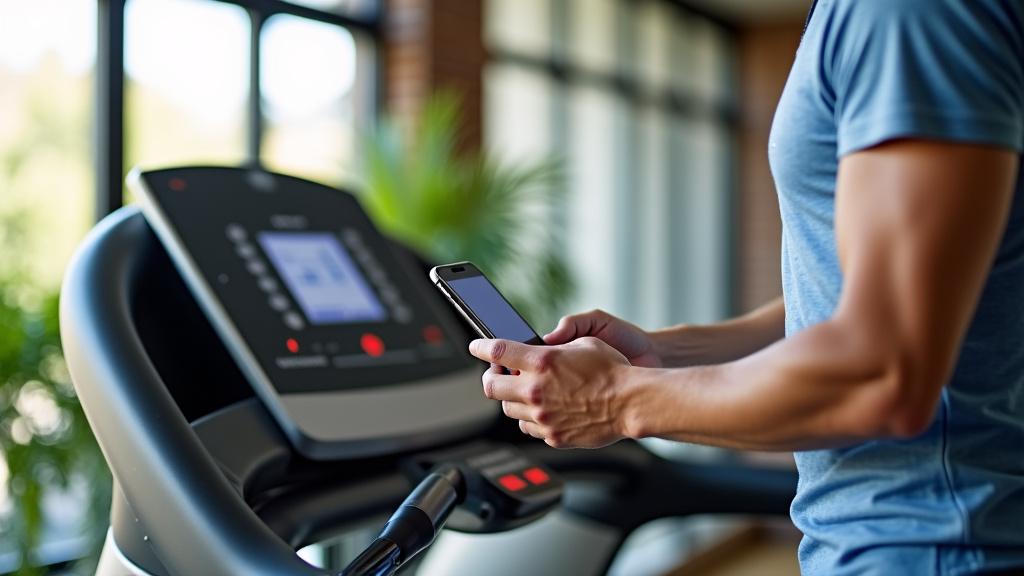
Choosing and Downloading a Fitness App
Once your devices are ready, it’s time to pick an app. Many different apps are available, and the best one for you depends on your treadmill and your fitness goals. Some apps are designed for specific treadmill brands, while others are more universal.
App Options for Treadmill Connectivity
There are several categories of apps to consider:
- Brand-Specific Apps: Many treadmill manufacturers, like NordicTrack, ProForm, and Horizon Fitness, have their own apps. These are often designed to work best with their equipment and may offer premium content if you have a subscription.
- Third-Party Apps: Apps like Zwift, Peloton (for non-Peloton treadmills), Kinomap, and Rouvy are popular choices. They often provide virtual running routes, training programs, and social features. Some of these require a specific cadence or speed sensor if your treadmill doesn’t broadcast data directly via Bluetooth.
- General Fitness Trackers: Apps like Strava, MyFitnessPal, or Google Fit can often import data from other fitness apps or devices. You might sync your treadmill app to Strava, for example.
We found that brand-specific apps sometimes offer the most seamless experience, but third-party apps can provide a wider range of engaging content. Do a quick search in your device’s app store for “treadmill app” or the name of your treadmill brand.
The Pairing Process: Step-by-Step
The exact pairing steps can vary slightly between apps and treadmills. However, the general process is consistent. Think of it like introducing two people who don’t know each other. You need to make them aware of each other and then confirm they are okay to connect.
Step 1: Open the App and Find Pairing Options
Launch the fitness app you’ve chosen. Navigate through the app’s menus to find a section for connecting devices or equipment. This might be under “Settings,” “Profile,” “Devices,” or “Connect Equipment.” Read the app’s on-screen prompts carefully.
Step 2: Put Your Treadmill in Pairing Mode
This is a crucial step. Your treadmill needs to be “discoverable” by your phone or tablet. Check your treadmill’s console for an option to enable Bluetooth or put it in pairing mode. Sometimes, you might need to press and hold a button. Consult your treadmill’s manual if you’re unsure how to do this. Many treadmills automatically enter pairing mode when they are first turned on or when the app is launched.
Step 3: Select Your Treadmill from the App’s List
Your app should now display a list of available Bluetooth devices it has detected. Look for the name of your treadmill model or a generic name like “Treadmill XYZ.” Tap on it to select it. Your device will then attempt to establish a connection.
Step 4: Confirm the Connection (If Prompted)
Sometimes, both your device and the treadmill might ask you to confirm the pairing. You might see a code appear on both screens that needs to match, or you might just get a prompt asking “Do you want to pair with this device?”. Confirm the connection on both your phone/tablet and potentially on the treadmill’s console if it prompts you. This handshake ensures you’re connecting to the correct equipment.
Step 5: Verify Data is Flowing
Once paired, start a short test workout on your treadmill. Check the app to see if it’s receiving data like speed, distance, time, and possibly heart rate. If you see the numbers updating in the app as you run, congratulations – you’ve successfully connected your treadmill! If not, you may need to repeat the pairing steps or consult your treadmill’s troubleshooting guide.
Troubleshooting Common Connection Issues
Connection problems can happen, but don’t worry. Most are easily fixed. It’s often a simple case of something being overlooked.
Here’s a quick checklist:
- Is Bluetooth truly on? Double-check your phone/tablet settings.
- Is the treadmill in pairing mode? Some treadmills only stay in pairing mode for a short time.
- Are the devices close enough? Keep your phone/tablet near the treadmill console.
- Restart everything. Turn off Bluetooth on your device, power cycle the treadmill, then try again.
- Forget and re-pair. If you’ve paired before, go into your device’s Bluetooth settings, “forget” the treadmill, and start the pairing process over.
- Check for app updates. Make sure you have the latest version of your chosen fitness app.
Sometimes, older treadmills might have outdated Bluetooth protocols that aren’t compatible with newer phones. Research and found that this is rare but possible. If you’ve tried everything, your treadmill’s manual or customer support is your next best step. They can offer model-specific advice.
| Potential Issue | Likely Cause | Quick Fix |
|---|---|---|
| Treadmill not showing up in app | Treadmill not in pairing mode, Bluetooth off on device, too far apart | Ensure treadmill is discoverable, turn on device Bluetooth, move closer |
| Pairing fails | Interference, incorrect confirmation, outdated software | Restart devices, check for interference, update device/app software |
| Connected but no data | App permissions, incorrect connection profile, treadmill issue | Check app permissions for Bluetooth, re-pair, consult treadmill manual |
Remember, patience is key. It might take a couple of tries, but getting your treadmill connected is very achievable. The benefits of tracking your workouts and engaging with fitness apps are well worth the initial setup effort. Many fitness experts agree that consistent tracking leads to better adherence and results (CDC).
“`Conclusion
You’ve learned how to connect your treadmill to an app, turning your home workouts into a more dynamic experience. By understanding Bluetooth technology, preparing your devices, and carefully following the pairing steps, you can sync your treadmill data with your favorite fitness apps. This connection allows you to track progress, join virtual challenges, and stay motivated. Don’t get discouraged if it takes a try or two; most connection issues are minor and fixable. So, take the next step: open your app and initiate that connection. Your smarter, more engaging fitness journey awaits!
Frequently Asked Questions
My treadmill doesn’t have a Bluetooth symbol. Can I still connect it to an app?
If your treadmill lacks a built-in Bluetooth symbol, it likely doesn’t support direct app connectivity. Some treadmills might work with an external speed or cadence sensor that connects to your app. You may also find that older models aren’t compatible with modern app technology at all.
Which apps are best for connecting to a treadmill?
The best app depends on your treadmill brand and goals. Brand-specific apps (like iFit for NordicTrack) often offer the most integrated experience. Third-party apps like Zwift, Kinomap, or Rouvy provide engaging virtual routes and training programs, sometimes requiring extra sensors.
How do I know if my treadmill is compatible with apps?
Check your treadmill’s console for a Bluetooth symbol or look through its user manual. Manufacturers usually clearly state app connectivity features. If you can’t find any information, a quick search of your treadmill’s model number online should tell you if it’s app-compatible.
What if my treadmill disconnects during a workout?
If your connection drops, ensure your device’s Bluetooth is still enabled and that your phone or tablet is close to the treadmill. Sometimes, restarting both your device and the treadmill, then re-pairing, can resolve persistent disconnections.
Can I use my treadmill app without a subscription?
Many fitness apps offer basic tracking features for free, allowing you to monitor speed, distance, and time. However, premium content like guided workouts, advanced training plans, and extensive virtual routes often require a paid subscription, especially for brand-specific apps.